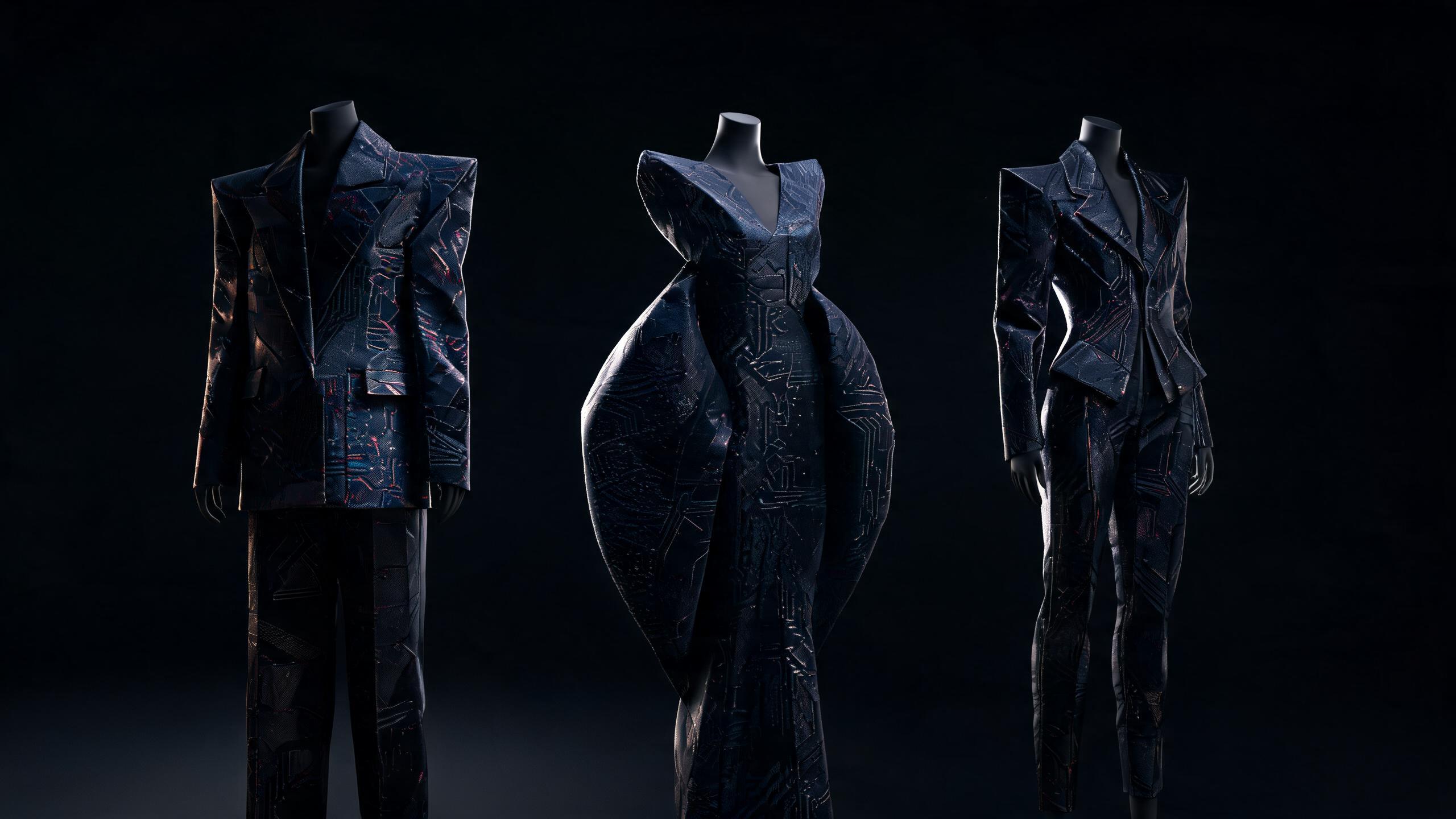
Demna AI Batch Upload Tips for Faster, More Consistent Fashion Workflows

Learn how to organize image sets, streamline batch processing, and maintain consistent outputs across high-volume Demna AI fashion projects.
Demna AI batch upload images is the process of submitting multiple fashion-reference or product images to Demna AI in a single upload workflow for coordinated processing. Standardizing files to a consistent format, resolution, naming convention, and visual framing improves output consistency and reduces manual preparation time; processing limits and supported specifications depend on the Demna AI implementation.
Demna AI batch upload images works best when files are structured, labeled, and reviewed as a dataset rather than treated as a random image collection.
Key Takeaway: Demna AI batch upload images work best when files are consistently named, organized by purpose, checked for rights and quality, and reviewed as a structured dataset to improve generation speed and visual consistency.
Batch uploading is not a clerical shortcut. It is a workflow design problem. When image inputs arrive with inconsistent names, mixed references, unclear rights, and different visual objectives, the system has to infer too much before generation even begins.
That creates avoidable variation in pose, silhouette, material, color, and styling.
A disciplined batch workflow produces more useful fashion outputs because it separates three jobs:
- Input control: deciding which images belong together.
- Generation control: preserving the visual variables that matter.
- Review control: identifying what changed and why.
The objective is not to upload the largest possible image set. The objective is to give Demna AI a coherent visual brief that can produce consistent results across a complete fashion workflow.
This guide presents ten actionable tips for faster, more consistent Demna AI batch upload images workflows.
1. Group Images by One Creative Objective Before Uploading
The fastest batch upload begins with a narrow visual objective, not a large folder.
A useful batch should answer one question. Examples include:
- Generate variations of one jacket silhouette.
- Explore color treatments for one knitwear concept.
- Compare three material directions for the same trouser shape.
- Build a consistent editorial series from one reference outfit.
- Test accessories without changing the base garment.
- Create front, side, and back views of one design language.
When unrelated images share a batch, the system receives conflicting signals. A runway image, a product photograph, a street-style reference, and a fabric close-up each describe fashion differently. One communicates silhouette, another communicates lighting, another communicates texture, and another communicates styling context.
That mixture can be useful during exploration, but it is weak input for controlled generation.
Use a batch brief
Before uploading, write a one-sentence brief:
“Generate five outerwear variations that preserve the oversized shoulder line, cropped length, and matte black technical fabric.”
This sentence identifies the variables to preserve and the variable to explore. Without that distinction, every image in the batch competes to define the final output.
Separate exploration from refinement
Create separate batches for different stages:
- Exploration batch: broad references, materials, silhouettes, construction details.
- Refinement batch: selected references with one clear design direction.
- Production batch: approved references used to generate final assets.
- Archive batch: source images and outputs stored for traceability.
Do not use one mixed folder for all four stages. A system that receives exploratory references should not be expected to behave like a production renderer.
Example
A weak batch might contain:
- A black leather coat.
- A white padded vest.
- A runway image with dramatic lighting.
- A close-up of metallic hardware.
- A full-body image in a different proportion.
A stronger batch would contain:
- Four images of oversized black outerwear.
- Two close-ups of the intended hardware.
- One fabric reference showing the desired matte finish.
- One neutral full-body image establishing proportion.
The second batch has a clearer center of gravity. It tells the model what belongs to the design and what belongs to the presentation.
2. Build a Consistent Folder and Naming System
File names are part of workflow intelligence. They make batch review, retrieval, versioning, and error correction faster.
A useful naming system should identify:
- The project.
- The garment or category.
- The reference role.
- The sequence number.
- The version.
- The approval state.
Use a predictable pattern such as:
project_category_role_sequence_version_status
Example:
AW26_outerwear_silhouette_01_v02_review
AW26_outerwear_material_02_v01_approved
AW26_outerwear_hardware_03_v01_reference
AW26_outerwear_output_04_v03_final
Avoid names such as:
IMG_4821.jpg
finalfinal2.png
new coat reference.jpeg
use this one latest.png
Those names may be understandable to the person who created them, but they become ambiguous as soon as multiple batches, designers, or revisions enter the workflow.
Use reference-role labels
The most useful labels describe the function of the image:
| Label | Meaning |
|---|---|
silhouette |
Shape, proportion, volume, or garment outline |
material |
Surface, weave, finish, weight, or reflectivity |
detail |
Hardware, seams, closures, pockets, trims, or construction |
color |
Palette or tonal relationship |
pose |
Body position or presentation angle |
lighting |
Studio, editorial, daylight, shadow, or contrast direction |
context |
Environment or campaign setting |
output |
Generated result rather than source reference |
This distinction prevents a common mistake: treating every image as if it communicates the same kind of information.
Create a manifest for larger batches
For repeated work, maintain a simple CSV or spreadsheet containing:
- File name.
- Source.
- Reference role.
- Usage rights.
- Intended output.
- Version.
- Review status.
- Notes on what to preserve.
A manifest creates an audit trail. It also makes it possible to identify which input caused a visual change when a later output diverges from the intended direction.
3. Standardize Image Dimensions, Orientation, and Quality
A batch with wildly different image geometry introduces unnecessary uncertainty.
Standardization does not mean every image must be identical. It means the differences should be intentional. A portrait garment image, a square material close-up, and a landscape campaign reference each establish different visual priorities.
Before uploading, normalize:
- Orientation.
- Rotation.
- Cropping.
- Color profile where possible.
- Background distractions.
- Duplicate files.
- Extremely compressed previews.
- Images with large blank borders.
Preserve the useful subject area
Do not crop away the garment’s relationship to the body when proportion matters. A close crop may reveal construction details but hide sleeve length, hem position, or shoulder volume.
Use image types deliberately:
- Full-body images: proportion, styling, and overall silhouette.
- Three-quarter images: garment shape and material behavior.
- Close-ups: construction, texture, hardware, and finish.
- Flat lays: component relationships and arrangement.
- Technical drawings: structural intent and panel logic.
A batch becomes more reliable when each image has a defined role rather than when every image is forced into one format.
Remove visual noise
Backgrounds can become accidental design instructions. Furniture, scenery, logos, unrelated garments, and strong shadows may influence the generated composition.
For a construction-focused batch, use clean backgrounds. For a campaign-focused batch, preserve environmental references in a separate context batch.
Do not confuse resolution with information quality
A high-resolution image with an obscured garment is less useful than a smaller image with a clear silhouette. Quality is not only pixel count. It includes:
- Subject visibility.
- Edge clarity.
- Material legibility.
- Consistent lighting.
- Absence of distracting objects.
- Relevance to the creative objective.
If final outputs need greater resolution, handle that as a separate production step. The article How to Upscale Demna AI-Generated Fashion Images covers why enlargement should follow creative approval rather than replace it.
4. Assign Each Image a Role: Anchor, Constraint, or Variation
Not every image should influence the batch equally.
A practical system divides references into three roles:
- Anchor: establishes the dominant visual direction.
- Constraint: defines a feature that must remain stable.
- Variation: introduces an element to explore.
For example:
- Anchor: a full-body photograph showing the intended oversized silhouette.
- Constraint: a close-up showing the matte technical fabric.
- Variation: three references for alternative collar constructions.
This structure prevents a secondary detail from overpowering the main concept.
Use one or two anchors
A batch with too many competing anchors lacks hierarchy. Choose the images that best express the design’s identity. Then assign the rest of the references to narrower functions.
For a footwear batch:
- Anchor: side profile defining the overall shape.
- Constraint: outsole image defining tread and thickness.
- Constraint: material close-up defining finish.
- Variation: color references for upper and lacing.
For a knitwear batch:
- Anchor: full garment silhouette.
- Constraint: stitch pattern close-up.
- Constraint: hem treatment.
- Variation: sleeve proportion references.
Write a preservation note
Attach a short internal note to every anchor:
Preserve: dropped shoulder, boxy torso, cropped hem.
Explore: collar height and pocket configuration.
Do not introduce: fitted waist, glossy finish, athletic sneaker styling.
This makes review more precise. Instead of asking whether an output “looks good,” you can ask whether it preserved the anchor and explored the intended variable.
Why role assignment improves consistency
Fashion images contain multiple layers of information. A single image may encode pose, garment shape, color, styling, lighting, and environment. Role assignment reduces the chance that an incidental feature becomes the dominant instruction.
Consistency comes from controlling which information is allowed to change.
👗 Want authenticated, AI-curated fashion? Shop with Alvin's Club →
5. Use Metadata and Prompts to Define What Must Stay Stable
Batch upload is only half of the instruction. The accompanying text should define invariants.
An invariant is a feature that should remain stable across outputs. Examples include:
- Garment category.
- Silhouette.
- Length.
- Material family.
- Primary color.
- Hardware placement.
- Model viewpoint.
- Background type.
- Styling level.
A variable is the feature the batch is testing:
- Collar shape.
- Sleeve construction.
- Surface treatment.
- Color accent.
- Pocket design.
- Layering.
- Pose.
- Lighting.
Use a preservation-and-exploration format
A clear instruction can follow this structure:
Preserve:
- oversized cropped silhouette
- matte black technical nylon
- dropped shoulder
- wide sleeve opening

Explore:
- three collar constructions
- two pocket placements
- restrained silver hardware

Avoid:
- glossy leather
- fitted tailoring
- visible logos
- unrelated accessories
This is more operational than a broad prompt such as “Create futuristic black jackets.”
Define the output contract
An output contract describes what every generated image should include:
Output:
- full garment visible
- front three-quarter view
- neutral studio background
- consistent model styling
- one design variation per image
- no text or watermark
The contract is especially useful when generating a set for comparison. Without it, differences in framing or styling can make design differences difficult to evaluate.
Distinguish design intent from visual mood
“Mysterious,” “architectural,” and “minimal” describe mood. “Cropped hem,” “high funnel neck,” and “bonded seam detail” describe design intent.
Use both, but do not substitute one for the other. Mood alone is too ambiguous for consistent fashion generation.
A strong instruction might combine them:
“Preserve the cropped, oversized outerwear silhouette and matte technical surface. Present it with an austere studio mood, controlled shadow, and minimal styling.”
The garment specification comes first. The mood supports it.
6. Upload in Staged Batches Instead of One Unfiltered Dump
Large unfiltered uploads create review congestion and make errors harder to isolate.
A staged process is faster because each batch has a clear purpose. Use a sequence such as:
- Reference batch: establish visual direction.
- Material batch: test surface and fabric behavior.
- Construction batch: refine details and components.
- Variation batch: generate controlled alternatives.
- Finalization batch: produce approved output views.
This approach reduces rework. If the silhouette is wrong, you can correct it before adding detailed material and styling references.
Use a funnel model
The workflow should narrow as confidence increases:
| Stage | Input breadth | Main question | Output |
|---|---|---|---|
| Discovery | Broad | Which direction is viable? | Shortlist |
| Definition | Moderate | What features define the direction? | Design brief |
| Variation | Controlled | Which variable should change? | Comparable options |
| Approval | Narrow | Which version is final? | Approved reference |
| Production | Minimal | How should the final asset be rendered? | Deliverables |
The point is not to maximize the number of references. It is to reduce ambiguity at each stage.
Avoid mixing reference and output images without labels
Generated images can accidentally become future references. That is useful only when the output is explicitly approved for reuse.
Separate:
- Raw references.
- Generated candidates.
- Approved outputs.
- Rejected outputs.
- Derivative outputs.
This separation prevents an unstable experiment from becoming the hidden foundation of a later batch.
Use batches to isolate variables
If you want to test fabric, hold silhouette and styling constant. If you want to test pose, hold garment and lighting constant. If you change all three at once, you cannot identify what improved the result.
That is the central principle of controlled fashion generation:
Change one meaningful variable at a time when evaluating design quality.
7. Create a Reusable Prompt and Reference Template
Repeated work should not begin from a blank page.
A template turns successful decisions into repeatable infrastructure. It also helps different collaborators produce comparable batches.
Use a template with these fields:
Project:
Category:
Creative objective:
Anchor references:
Constraint references:
Variation references:

Preserve:
-
-
-

Explore:
-
-
-

Avoid:
-
-
-

Composition:
Model or mannequin:
Camera angle:
Background:
Lighting:
Output count:
Review criteria:
Add category-specific fields
Different fashion categories require different controls.
Outerwear
- Shoulder volume.
- Closure type.
- Collar height.
- Sleeve opening.
- Hem length.
- Fabric stiffness.
Dresses
- Waist placement.
- Draping direction.
- Skirt volume.
- Neckline.
- Strap construction.
- Movement behavior.
Footwear
- Toe shape.
- Heel geometry.
- Sole thickness.
- Upper material.
- Fastening method.
- Side profile.
Accessories
- Scale relative to body.
- Hardware placement.
- Strap length.
- Surface finish.
- Functional opening.
- Carrying position.
A generic prompt hides category-specific decisions. A structured template exposes them.
Version templates, not only outputs
If a batch performs well, preserve the setup:
template_outerwear_silhouette_v03
template_shoe_material_v02
template_editorial_neutral_studio_v04
Then record what changed between versions. The objective is to build a growing internal library of working patterns rather than repeatedly rediscovering them.
The article How Demna Uses AI to Generate Multiple Fashion Design Variations is relevant here because variation becomes useful only when the base conditions remain controlled.
8. Use a Consistent Review Rubric for Every Batch
Fast generation creates value only when review is equally structured.
A review rubric prevents the team from selecting outputs based on novelty alone. Novelty often looks impressive while violating the original design brief.
Score each output against the same criteria:
| Criterion | Review question |
|---|---|
| Silhouette | Does the output preserve the intended proportion and volume? |
| Material | Does the surface behave like the chosen fabric or finish? |
| Construction | Are seams, closures, pockets, and components coherent? |
| Styling | Does the presentation support rather than distract from the garment? |
| Consistency | Does it belong to the same visual family as the other outputs? |
| Usability | Can the image support the next workflow stage? |
Use a simple status system:
- Keep: meets the brief and can move forward.
- Revise: promising direction with a specific defect.
- Reject: violates a core constraint.
- Archive: useful as a reference for future exploration.
Record rejection reasons
Do not delete failed outputs without notes. Tag them:
wrong_silhouettematerial_drifthardware_errorpose_inconsistentbackground_noiseunusable_cropdesign_contradiction
Rejection data reveals recurring failure modes. If many outputs receive material_drift, the problem may be the reference batch or the wording of the material constraint.
Compare outputs side by side
A single image encourages subjective judgment. A grid exposes inconsistency.
Review outputs at the same:
- Crop.
- Scale.
- Viewing angle.
- Background.
- Lighting condition.
If each image is presented differently, the presentation becomes a confounding variable. Side-by-side comparison turns visual review into a more reliable decision process.
9. Maintain Reference Integrity and Usage Rights
A fast image workflow still needs clean provenance.
Every uploaded image should have a known origin and permitted use. This matters when references include:
- Brand campaign imagery.
- Photographer-owned work.
- Editorial photography.
- Runway images.
- Customer-uploaded images.
- Images generated by another system.
- Screenshots collected from public platforms.
Create a rights field in the batch manifest:
source:
owner:
permission:
usage_scope:
attribution_required:
expiration:
Do not treat public availability as unrestricted usage. A reference can be visually useful while still being unsuitable for commercial output or internal model training.
Separate inspiration from direct transformation
A mood reference communicates atmosphere. A technical reference communicates construction. A direct transformation request uses an image as the basis for a new output.
These uses should be labeled differently because they create different review and rights questions.
Preserve provenance through derivatives
When an output is generated from multiple sources, record the source set:
output_07:
- anchor: outerwear_silhouette_01
- material: nylon_closeup_02
- hardware: buckle_detail_04
- lighting: studio_reference_03
This makes future refinement more controlled. It also helps answer a practical question: which references contributed to the final appearance?
Rights management is not separate from creative quality. A clean source record creates a more reliable foundation for iteration. For a deeper discussion of design protection, see How Demna AI Can Protect Fashion Designs From Copyright Infringement.
10. Treat Batch Outputs as Training Data for Your Personal Style Model
The most advanced batch workflow does not end when an image is generated.
Each decision becomes a signal:
- Which silhouettes were kept?
- Which materials were rejected?
- Which color relationships repeated?
- Which styling choices consistently felt wrong?
- Which references produced useful variations?
- Which outputs were saved for future work?
This decision history creates a personal style model: a structured representation of taste that improves through interaction.
Personal style model: A continuously updated representation of an individual’s preferences, constraints, visual vocabulary, and recurring choices, used to produce more relevant fashion recommendations and creative outputs.
The model should not simply count likes. A useful style system distinguishes between different types of feedback:
| Feedback type | What it reveals |
|---|---|
| Save | Positive relevance |
| Reject | Active dislike or constraint violation |
| Edit | Desired direction but incomplete execution |
| Reuse | Strong compatibility with future work |
| Ignore | Low priority or weak fit |
| Compare | Ambivalence requiring more evidence |
A saved image may be liked for its lighting rather than its garment. A rejection
Summary
- Demna AI batch upload images work best when files are organized, labeled, and reviewed as a coherent dataset rather than uploaded as a random collection.
- Group each batch around one creative objective, such as refining a single silhouette, testing color treatments, or comparing materials.
- Consistent filenames, clear folder structures, and separated reference types reduce ambiguity and improve control over generated fashion outputs.
- Separate input control, generation control, and review control to identify which visual variables—such as pose, silhouette, material, color, or styling—changed.
- Prioritize a focused, coherent visual brief over the largest possible image set to achieve faster and more consistent fashion workflows.
Key Takeaways
- Key Takeaway:
- workflow design problem
- Input control:
- Generation control:
- Review control:
Frequently Asked Questions
What is the best way to prepare images for a Demna AI batch upload?
The best approach is to organize images by collection, product, visual objective, and file type before uploading them. Use consistent filenames, matching image dimensions, clear references, and remove duplicates or unrelated files to help Demna AI interpret the dataset accurately.
How does Demna AI batch upload images improve fashion workflows?
Demna AI batch upload images improves fashion workflows by processing structured image sets more efficiently and supporting greater consistency across generated outputs. Consistent references can reduce unwanted variation in pose, silhouette, color, materials, and styling.
Is it worth using Demna AI batch upload images for large fashion collections?
Demna AI batch upload images is worth using for large fashion collections when the files are labeled, grouped, and connected to clear creative goals. A well-designed dataset can save review time, while disorganized uploads may create inconsistent results that require additional corrections.
Can you upload mixed fashion references in one Demna AI batch?
You can upload mixed fashion references in one Demna AI batch, but separating images by purpose usually produces more predictable results. Keep garment, model, styling, material, and mood references in clearly defined groups, and review image rights before uploading.
Related on Alvin's Club
About the author
Building the AI fashion agent at Alvin's Club — personal style models, dynamic taste profiles, and private AI stylists. Writing about where AI meets fashion commerce.
Credentials
- Founder at Alvin's Club (Echooo E-Commerce Canada Ltd.)
- Writes weekly on AI × fashion at blog.alvinsclub.ai
X / @alvinsclub · LinkedIn · alvinsclub.ai
This article is part of Alvin's Club's AI Fashion Intelligence series — the AI fashion agent that influences demand before shopping happens.
Related Articles
- How to Upscale Demna AI-Generated Fashion Images
- How Demna AI Can Protect Fashion Designs From Copyright Infringement
- Can Demna AI Restore Deleted Fashion Projects?
- How Demna Uses AI to Generate Multiple Fashion Design Variations
- Why Demna’s AI Image Generation Is Getting More Consistent in 2026
- How to Cancel Demna AI and Request a Subscription Refund
- How Demna AI Makes Fashion Cutouts With Transparent Backgrounds
- How Demna’s AI Credit System Could Reshape Fashion in 2026
- 7 Ways to Keep Your Fashion Designs Safe When Using Demna AI
- PNG, JPEG, or WebP? Choosing Formats for Demna AI Fashion Work
- Demna AI and the 2026 Battle Over Client Output Ownership
- Demna AI Team Plan Pricing: Traditional vs AI-Powered Fashion